Can an AI agent shop at Harry's?
wobbled Some errands survived. The ones that didn't are below, step by step, up to the moment they stopped making progress.
Harry's passed 1 of 3 shopping-agent errands in Coalbird's audit: the agent could not find the product (gave up after 12 steps); the agent could not find the returns policy (gave up after 13 steps).
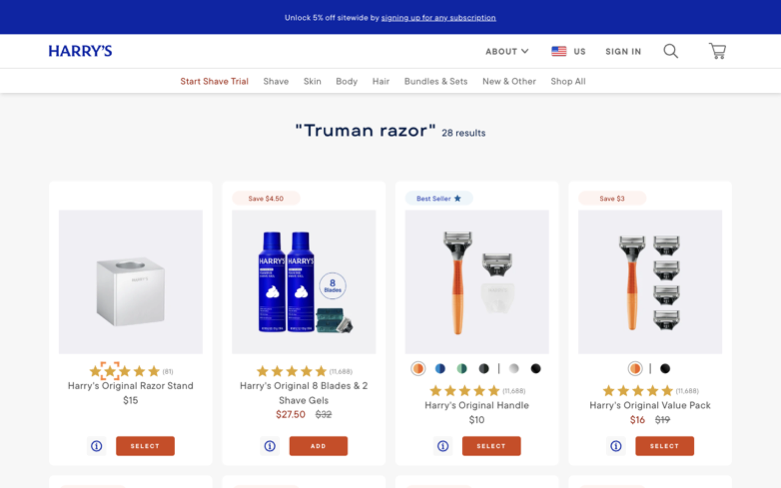
Errand one — find the product
“Find the Truman razor and report its price.”
final URL https://www.harrys.com/search?q=Truman+razor did not match **truman**
- 01 Initial navigation
- 02 Click the Search button (element 209) to open the search field so I can search for the …
- 03 Type 'Truman razor' into the search input (element 2928) and wait for search suggestion…
- 04 Click the search submit button (element 2942) to perform the search for 'Truman razor' …
- 05 Click the Search button at index 3090 to trigger the search results for 'Truman razor' …
- 06 Find occurrences of 'Truman' on the current search results page using search_page, then…
- 07 Find occurrences of the word 'Truman' on the search results page to identify the Truman…
- 08 Find occurrences of the word 'Truman' on the current search results page to identify th…
- 09 Find occurrences of 'Truman' on the current search results page to identify the Truman …
- 10 Search the current page for the exact word 'Truman' using search_page (regex) to locate…
- 11 Find interactive links on the search results page and click the Truman product link to …
- 12 Since only one step remains, finalize and report findings: that I could not open a Trum…
Errand two — find the returns policy
“How many days do customers have to return an item?”
final URL https://www.harrys.com/help did not match **return**
- 01 Initial navigation
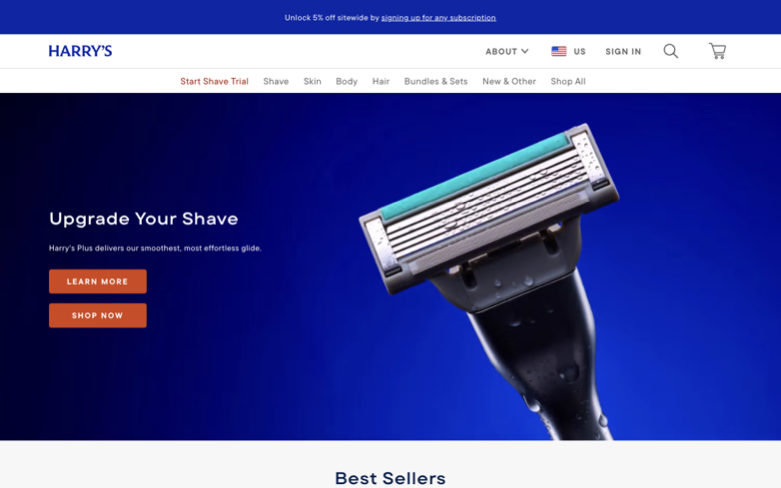
- 02 Scroll down to reveal the footer and search the page for 'return' to find the store's r…
- 03 Search the current page for occurrences of 'return', 'returns', and 'refund' to find th…
- 04 Find and open the Help Center or Returns/Refunds page from the homepage, then extract t…
- 05 Find and click the Help Center link from the homepage so I can search the Help Center f…
- 06 Search the current page for 'Help Center' to find the interactive element index, then c…
- 07 Find the interactive element index for 'Help Center' on the current page and click it t…
- 08 Search the current page for the exact 'Help Center' text to locate the interactive elem…
- 09 Search the web (new tab) for Harry's returns/refunds policy or Help Center article, the…
- 10 Open a new DuckDuckGo search tab for Harry's returns/refunds policy (site:harrys.com or…
- 11 Load the Help Center (https://help.harrys.com) in a new tab so I can search for the ret…
- 12 Search the current Help Center page for occurrences of 'return' to locate the returns/r…
- 13 If given another step, open the Help Center's on-page search or click the search icon a…
Errand three — add it to the cart
“Put the Truman razor in the cart and prove it's there.”
final URL https://www.harrys.com/en/products/harrys-original-handle?variant=49501212246322&modal=mini-cart matched **cart**
- 01 Initial navigation
- 02 Click the site's search button to start a search for 'Truman'.
- 03 Enter 'Truman' into the search input (index [2928]) and submit the search by clicking t…
- 04 Click the header search button [3034] to open the search input so I can search for 'Tru…
- 05 Enter 'Truman' into the search input ([3053]) and submit the search by clicking the sea…
- 06 Click the header search icon (index [3159]) to open the search input, then wait for the…
- 07 Enter 'Truman' into the search input and submit the search so I can find the Truman pro…
- 08 Click the header search button (index 3284) to open the search input so I can type 'Tru…
- 09 Type 'Truman' into the search input at [3303] and click the search button at [3322] to …
- 10 Open the header search control and submit 'Truman' by typing it into the search input a…
- 11 Type 'Truman' into the visible search input (index 3428) and submit the search by sendi…
- 12 Open the header search input so I can type 'Truman' and submit the search in the follow…
- 13 Locate the Truman product in the search results and open its product page by clicking t…
- 14 Click the Add to Cart button on the product page to add the Truman razor to the cart.
+ 1 more steps, with a screenshot of each — in the full report.
Same category, different result
- Olaplex made it out
- Youth To The People keeled over
- Kosas wobbled
- Kylie Cosmetics wobbled
- Summer Fridays wobbled
- Fenty Beauty wobbled
All beauty results are in the beauty report.
This page is the snapshot. It is not the report.
The bird can walk your store's journeys weekly and email you the day an errand breaks.
Start a trial for your storeChoose a trial slot.
Your intake context is carried into the booking, so the call starts useful.